Opting Out of Auto Refill
An enrolled patient may choose to opt-out of the Auto Refill service at any time. This removes all their prescriptions from the service.
To opt a patent out of Auto Refill:
- Search for and select the patient.
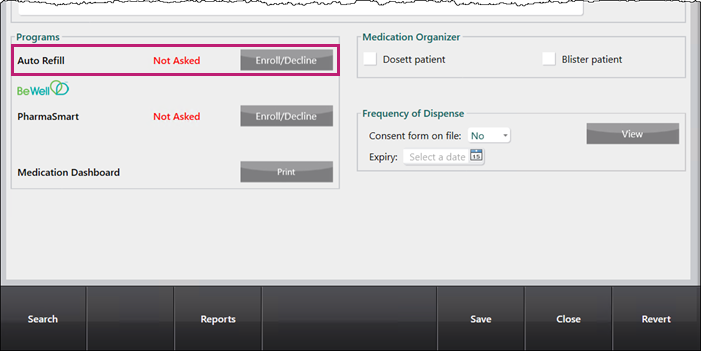
- Select the Programs tab.
- Select Enroll/Decline beside Auto Refill.
The Auto Refill - Enrollment window appears. - Enter the following information:
- From the Enrollment dropdown, select Declined.
- From the Decline Reason dropdown, select the reason why the patient declined the service.
- In the Employee ID# field, enter the employee ID# of the employee that enrolled the patient.
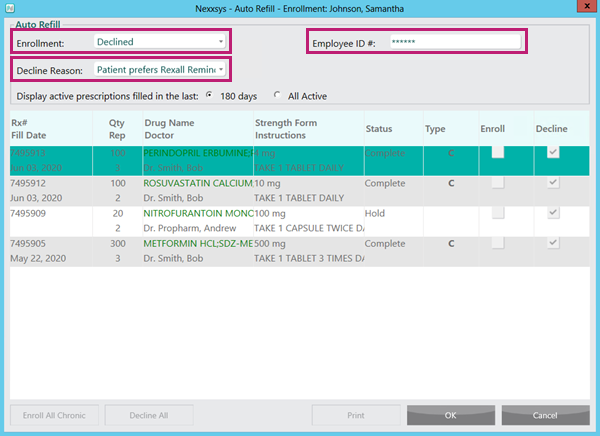
- Select OK. The Auto Refill - Enrollment window closes to the Programs tab.
- Select Save.